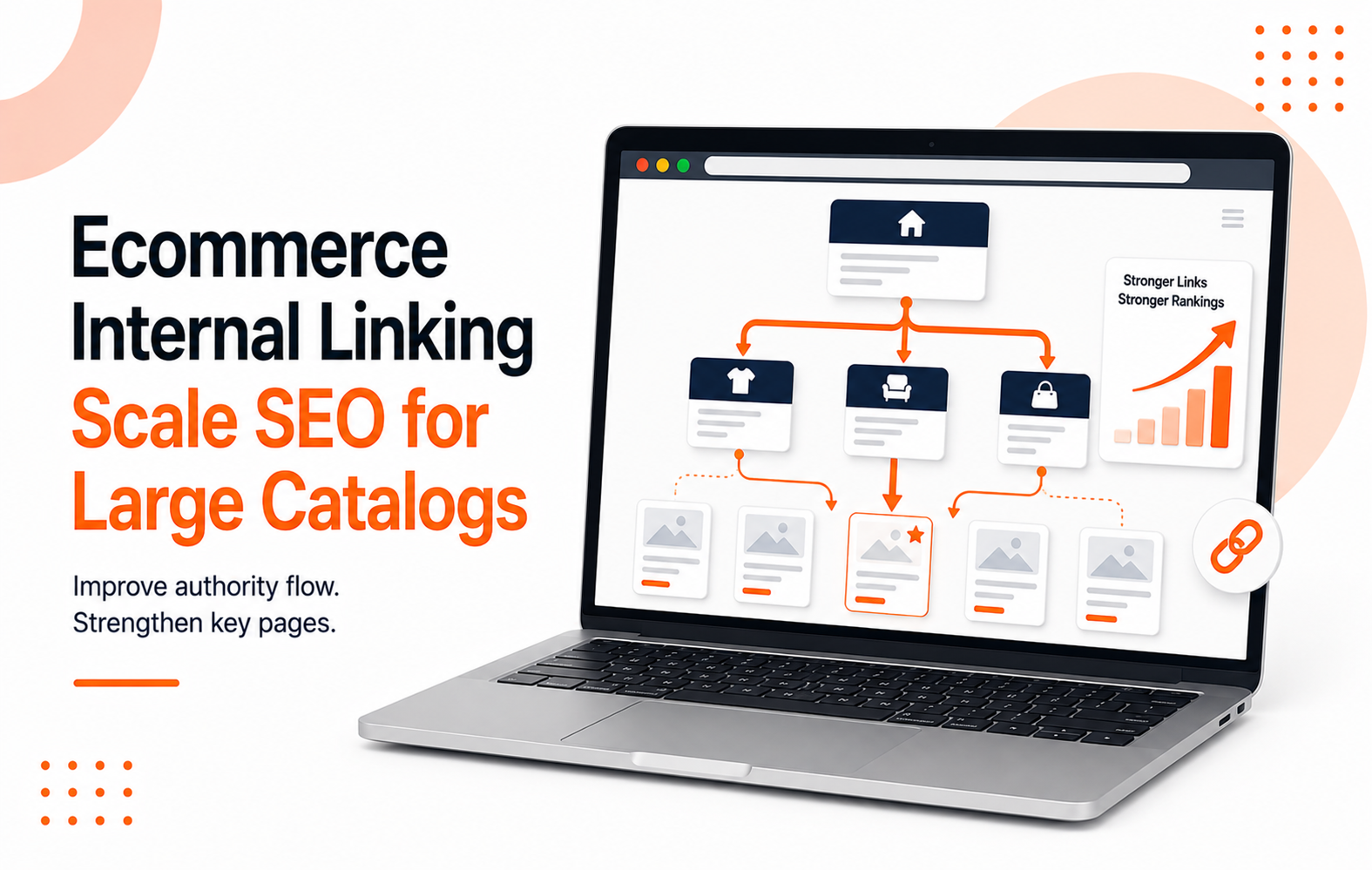
Big catalogs rarely lose organic traffic because they lack pages. They lose because link equity gets trapped in the wrong places, preventing your most important content from performing.
On a store with thousands of SKUs, ecommerce internal linking acts as vital traffic control. Good structure pushes search engines and shoppers toward your money pages, while poor architecture sends both into a confusing maze. This strategy is essential for achieving your broader ecommerce seo goals.
The fix isn't about adding more links everywhere. It is about placing better links in the right spots to improve your internal linking.
Key Takeaways
- Large catalogs require a strategic internal linking approach that distributes authority effectively across category pages, subcategories, and high-value product pages.
- Your navigation, breadcrumbs, related products, and editorial links should work together to support a cohesive site structure rather than competing for internal equity.
- Manage faceted navigation carefully, as linking to every possible combination can create crawl waste and dilute your SEO efforts.
- Measure the impact of your internal linking strategy through revenue page performance, crawl depth, and non-branded clicks rather than link counts alone.
Why Large Catalogs Break Internal Linking
A small store can get away with messy linking for a while, but a big one cannot.
As product counts grow, pages get buried. Some end up four or five clicks deep, making it difficult for Googlebot to crawl and index your most important assets.
Other pages receive no meaningful links at all. When your website architecture is poorly planned, search engines waste time on filter URLs, sort pages, and duplicate paths while your high-value collection pages compete for attention.
If a category page drives revenue, it should not be buried behind five clicks and a complex filter maze.
Improving your internal linking is a fundamental pillar of search engine optimization. These links tell search engines which pages matter, how they relate to one another, and how link equity should flow throughout your site.
By strategically placing these connections, you help authoritative pages pass value to related products and collections. A logical structure also helps shoppers move from broad intent to purchase without hitting dead ends, improving the overall user experience.
Paid ads rent attention, but strong internal linking keeps earning organic traffic long after the campaign ends.
Build Links Around Revenue Pages First
Most teams start by focusing on product pages because there are so many of them. That is the wrong approach.
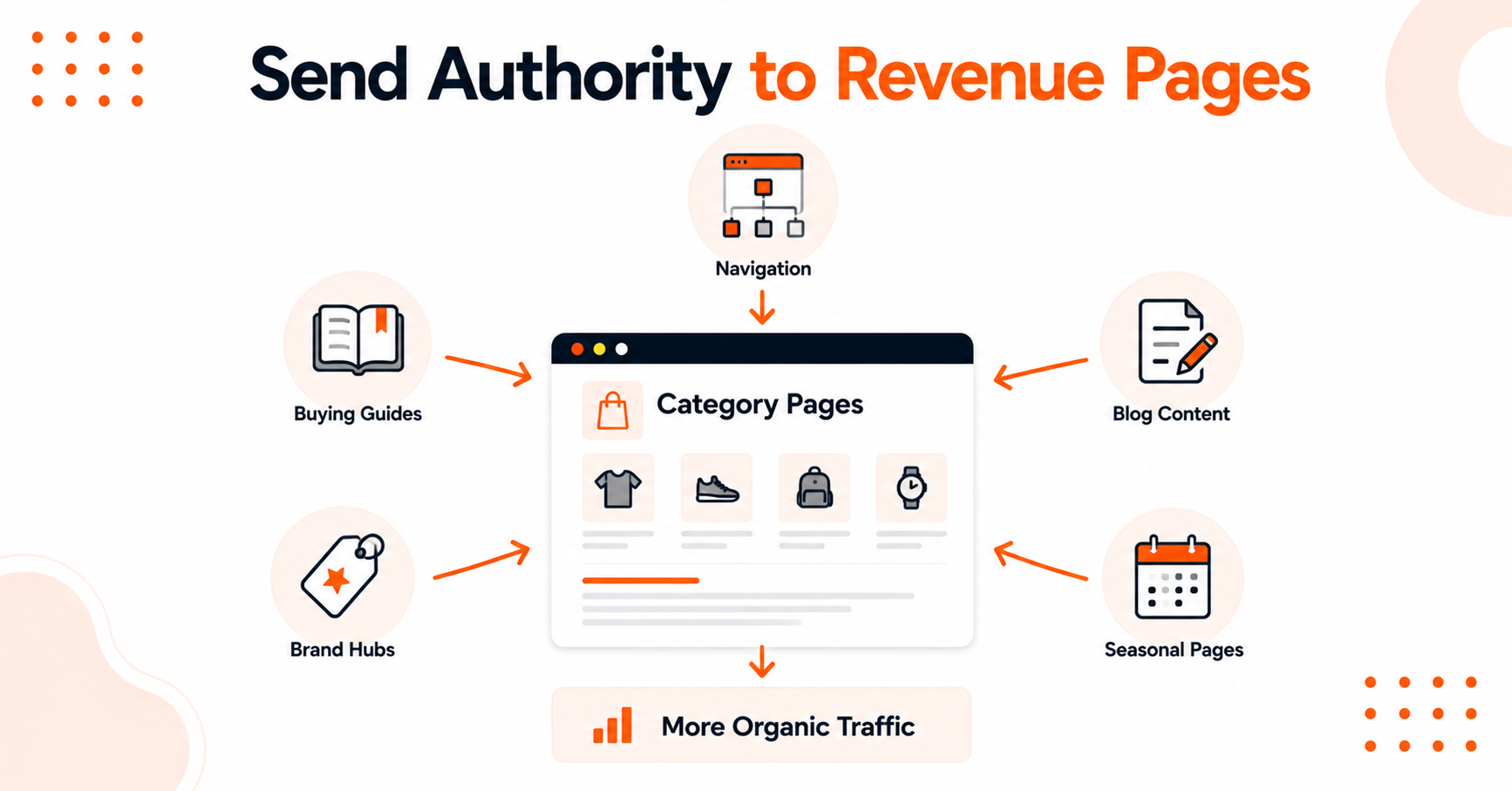
Strategic internal linking starts by prioritizing the pages that drive your bottom line.
Start With Category and Subcategory Pages
Category pages usually carry the best mix of search demand and buying intent, making them some of the most valuable pages on your site. They should receive the strongest internal support.
Link to category pages from:
- Main navigation menus
- Seasonal landing pages
- Buying guides
- Content hubs
- Brand hubs
- Relevant blog articles
Use descriptive anchor text that reflects how customers actually search rather than vague labels such as "view all" or "shop now."
If a collection page is already ranking on page two of search results, stronger internal links can often move the needle faster than creating new content.
Support Products Without Creating Chaos
While category pages are the foundation, product pages still matter. They simply require a more selective approach.
Support product pages through breadcrumbs, comparison pages, and useful related-product modules. Rather than spraying links everywhere, use cross-sell blocks that genuinely help customers make informed decisions.
A simple rule works well:
- Link up to the parent category.
- Link sideways to related products, alternatives, or accessories.
- Link in from content hubs and buying guides that already hold authority.
By optimizing these paths, you create a smoother experience for both users and search engines.
Create a Site Hierarchy People Can Explain in Two Minutes
If a new team member cannot explain your site structure quickly, it is probably too messy.
Keep the path simple: homepage, primary category, subcategory, and product page. This does not mean every store needs only four levels, but your website architecture should remain logical and consistent while avoiding deep, confusing detours.
A clear navigation menu helps both users and crawlers move through your catalog more efficiently.
A strong hierarchy is also the foundation of a successful internal link strategy. It helps search engines understand relationships across categories, brands, guides, and FAQs, which improves indexing efficiency.
As search becomes more answer-driven, clarity matters even more. A well-organized homepage and intuitive navigation structure make your site easier to crawl and understand.
Control Link Noise From Filters, Facets, and Pagination
This is where large catalogs go sideways fast.
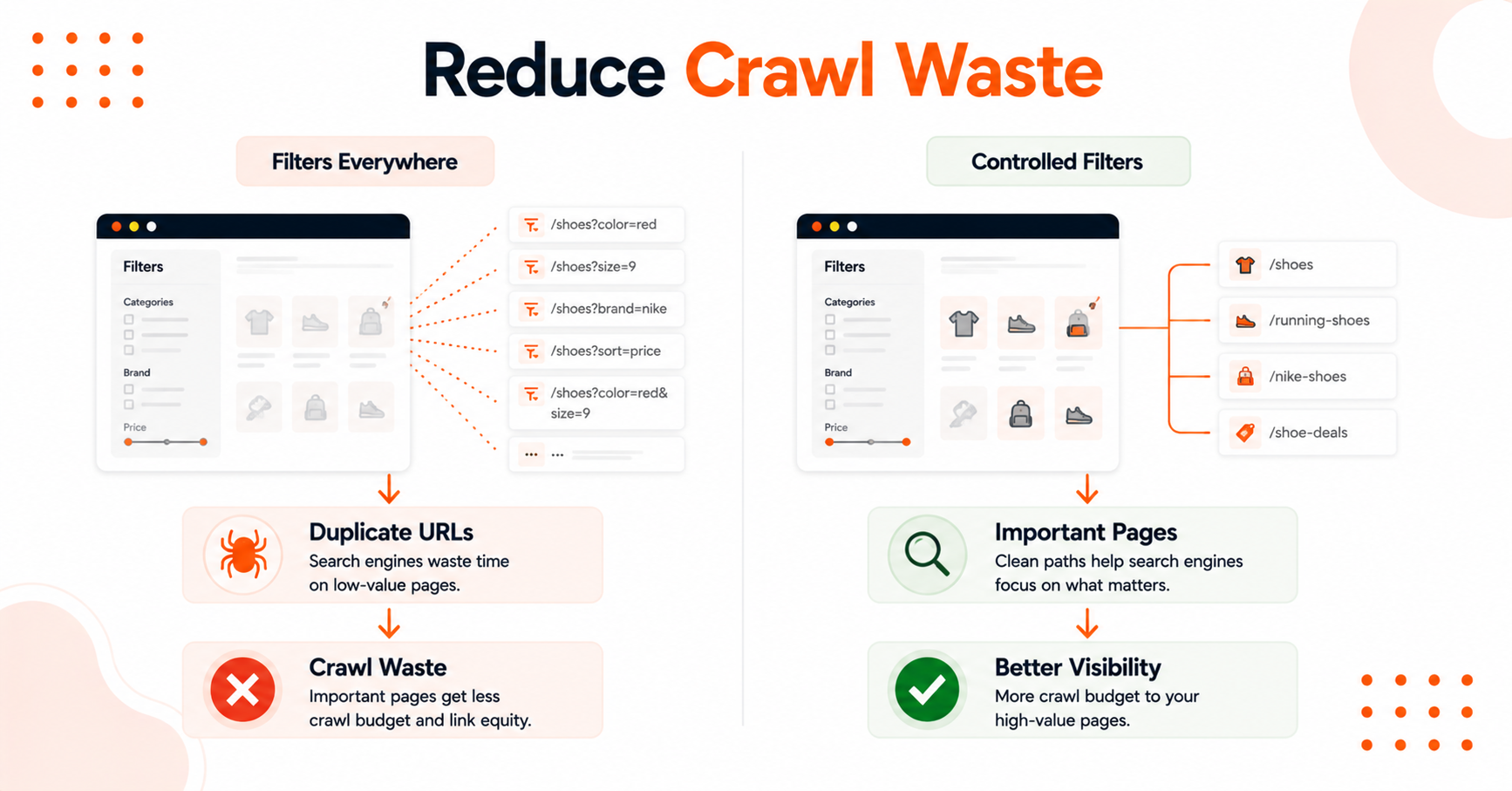
Every size, color, sort order, and price filter creates additional URL paths. When faceted navigation is fully crawlable and heavily linked, search engines spend time on low-value pages while your most important pages receive less attention.
This creates crawlability and indexing issues because bots prioritize unnecessary paths over core categories and collections.
Keep Low-Value URLs Under Control
Use canonical tags where duplicate versions must exist. Apply noindex directives to utility pages that help users but provide little or no SEO value.
Only allow filtered pages to be indexed when they match real search demand and represent stable inventory.
In some cases, an HTML sitemap can provide a cleaner path for crawlers to discover important pages without getting lost in unnecessary parameters.
The same principle applies throughout your site architecture. Keep the pages you want indexed front and center rather than linking every possible filter combination into your primary crawl path.
If you are auditing this at scale, this large-site internal linking guide aligns with best practices for maintaining a clean and effective internal linking strategy.
Measure Internal Links Like a Growth Channel
Do not treat internal linking like housekeeping. Treat it like a growth asset within your ecommerce SEO strategy.
Use Google Search Console to identify pages already earning impressions and uncover opportunities for improvement.
Look for:
- Categories stuck in positions 6–20 with ranking potential
- Products with strong conversion rates but weak visibility
- Orphan pages that should be connected to the broader site structure
By directing internal link equity toward these opportunities, you can often improve search engine optimization performance before investing in additional content.
A simple monthly process works well:
- Crawl the site.
- Fix broken paths.
- Review top-performing categories.
- Remove low-value link clutter.
Maintaining healthy PageRank flow helps ensure your most important products and categories receive the attention they deserve.
These ecommerce internal linking best practices serve as a useful secondary checklist if you want to refine your site architecture and maximize the performance of your ecommerce SEO efforts.
FAQs About Ecommerce Internal Linking
Here are additional questions that may help you.
How Many Internal Links Should a Category Page Have?
A category page should have enough internal links to help users and search engines move through your site logically. There is no magic number.
What matters is whether the links support the next best action rather than creating clutter through poor anchor text selection. By using descriptive anchor text, you help both users and crawlers understand the context of your category pages, which enhances the overall user experience.
Should Every Product Page Link to Related Products?
No, not every product page needs to link to related products. Instead, prioritize linking to the most relevant related products, accessories, or bundles that provide genuine value.
Overloading pages with too many links can dilute authority and create unnecessary distractions. Breadcrumb navigation can also provide a clear path for shoppers to explore your site hierarchy while helping search engines discover important product pages.
How Long Does It Take for Internal Link Changes to Help?
Internal link changes can start showing results within a few weeks, especially on pages that are already ranking. Larger improvements typically occur after search engines recrawl the site and your strongest pages begin collecting more authority over time.
As link equity flows more effectively through your site, key pages often gain better visibility and stronger search performance.
Let's Build a Stronger Ecommerce Site Structure
Large catalogs do not need more pages or more complexity. They need a clear internal linking strategy that helps authority flow to the pages that drive traffic, conversions, and revenue.
When your site structure is built to support both users and search engines, your most important categories and products have a better chance of earning visibility. Refresh helps ecommerce brands improve their online performance through SEO, website strategy, and growth-focused digital marketing.
If your catalog has outgrown its current structure, book a call with us to discuss a more effective ecommerce SEO strategy.
Leave a Reply